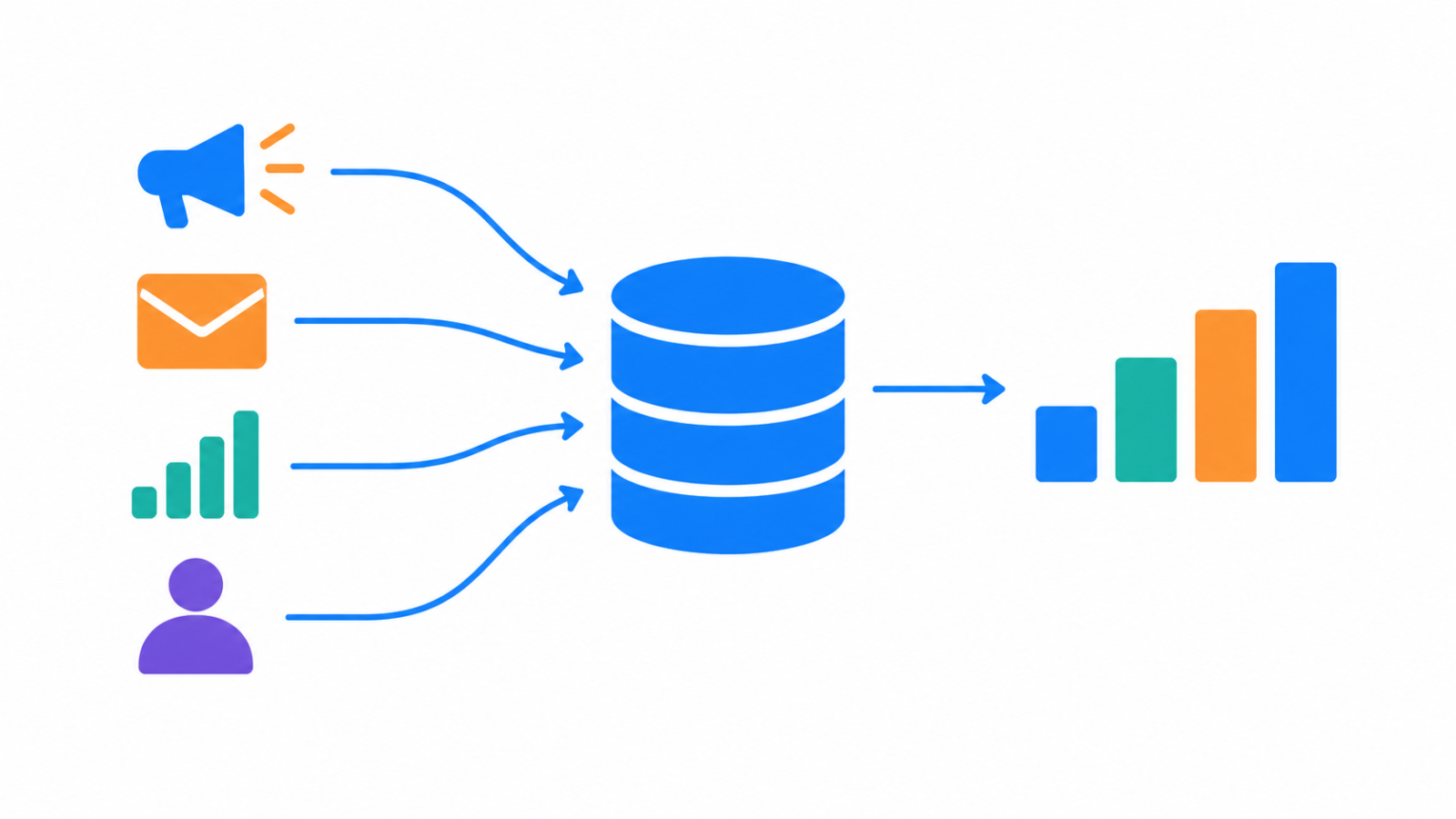
Marketing teams often cannot answer a simple question, which channel is actually working, because the data sits in separate exports from ad platforms, email tools and web analytics. A marketing data pipeline pulls those sources into one clean, queryable place so the question has a single answer.
The sources you are combining
Typical inputs are ad platform exports, email campaign reports, web analytics data, and sometimes CRM or sales records. Each one names things differently, reports on a different schedule, and measures slightly different events. The pipeline’s job is to make them comparable, not just to put them in the same folder.
Step 1: ingest the raw data unchanged
Start by landing each source exactly as it arrived, with the load date recorded. Keeping the raw copy lets you rebuild everything downstream when the logic changes, which is the reasoning behind medallion architecture. Whether you transform before or after loading is the choice covered in ETL vs ELT.
Step 2: clean and standardize
This is where most of the value is created. Remove duplicate rows, cast columns to the right types, and apply consistent campaign and channel names, so that one campaign is not spelled three ways across three tools. Also agree on time zones, date formats and currencies before you compare spend and results across sources. Write these rules once, in code, so the same logic runs on every new data drop instead of drifting between manual spreadsheet edits.
Step 3: model it for reporting
Shape the cleaned data into tables that match the questions people ask: spend, clicks and conversions by channel, campaign and day. A clear, shared definition for each metric matters more than the tool, because two dashboards that calculate conversion rate differently will never agree. My Marketing Analytics Data Pipeline project follows this pattern, turning raw campaign exports into clean, query-ready tables.
Step 4: decide how to credit channels
Once the data is combined, attribution becomes possible. Last-click attribution gives all credit to the final touch, which erases the ads and emails that built the intent earlier. Multi-touch models split credit across the touchpoints in a customer’s path, using rules such as equal, time-weighted or position-based shares. Neither is automatically right, but the choice changes budget decisions, as in my Marketing Attribution Warehouse project.
Keep the pipeline reliable
Marketing data is messy and sources change without notice. A few practices keep the pipeline trustworthy:
- Make each run safe to repeat, so a rerun does not double-count spend, as described in idempotent data pipelines.
- Choose between reloading everything and loading only changes, using incremental load vs full refresh.
- Watch for missing days, sudden zero spend and unexpected nulls, the checks covered in data observability.
- Handle renamed or removed export columns deliberately, as in schema evolution.
- Agree the expected columns and meaning with whoever owns each export, using data contracts.
- Schedule and sequence the steps with an orchestrator once there are several dependent jobs.
A quick checklist
- Is the raw data stored unchanged with a load date?
- Are campaign and channel names standardized in one place?
- Are time zones, dates and currencies aligned across sources?
- Does each metric have one shared definition?
- Can you rerun the pipeline without duplicating spend or conversions?
If your campaign data lives in scattered exports and you want it in one trustworthy place, see my ETL and ELT engineering service.
FAQ
What is a marketing data pipeline?
It is an automated process that collects data from marketing sources such as ad platforms and email tools, cleans and standardizes it, and loads it into one place for reporting and analysis.
Why not just combine the exports in a spreadsheet?
Manual merges are slow and easy to get wrong, and the numbers drift as people edit them. A pipeline applies the same rules every time and can be rerun safely.
What is the difference between last-click and multi-touch attribution?
Last-click gives all conversion credit to the final touchpoint. Multi-touch attribution spreads credit across several touchpoints in the customer’s path, according to a chosen rule.