A database index is a shortcut: a separate structure that lets the database find rows without reading the whole table. Used well it can turn a slow query into a fast one, and used carelessly it slows down everything else.
What an index is
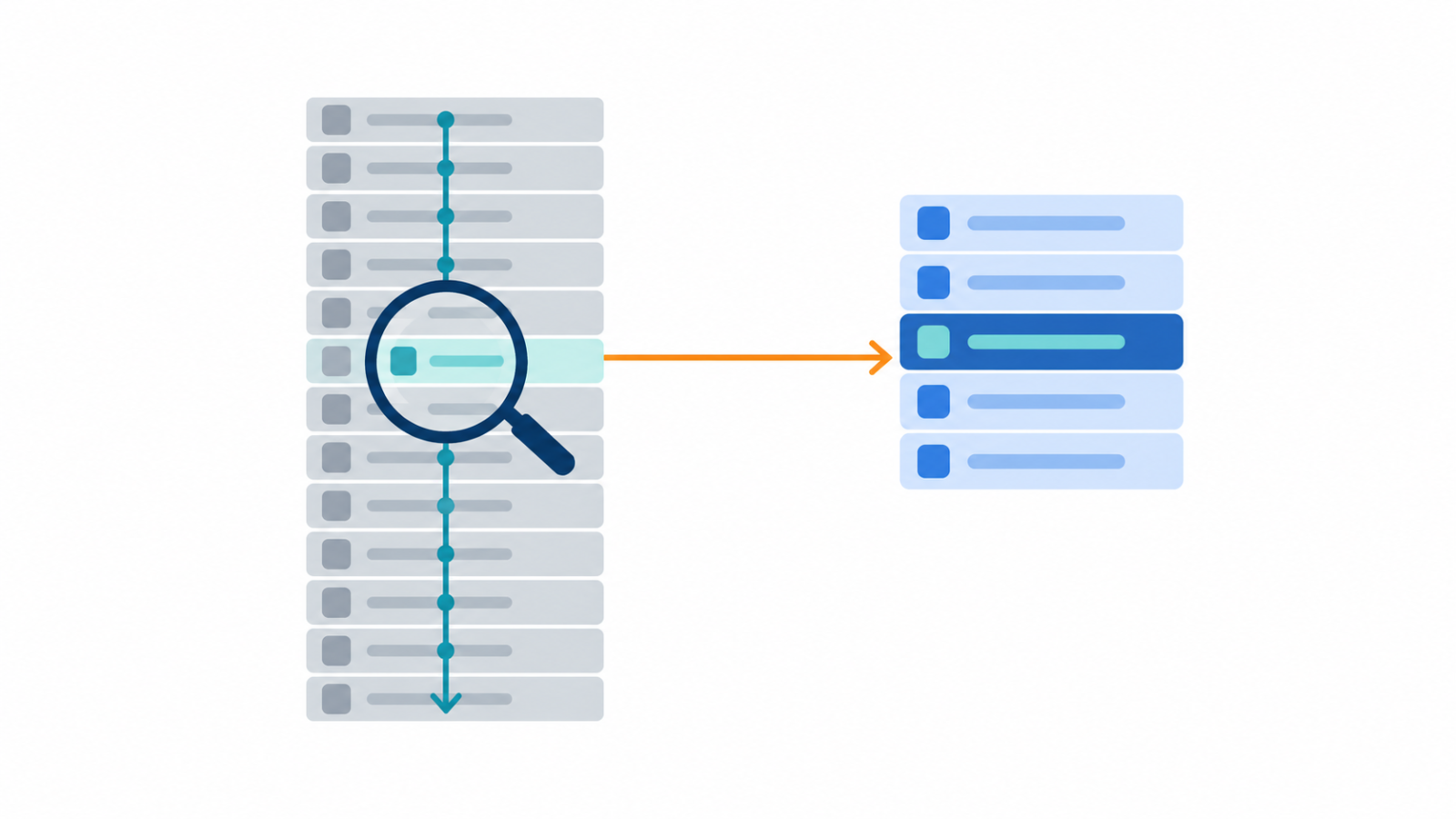
Without an index, a query that filters on a column has to scan every row to find the matches. An index keeps the values of one or more columns in a sorted structure, most often a B-tree, with pointers back to the rows. The database can then jump to the matching entries, much like using the index at the back of a book instead of reading every page.
Where indexes help
Indexes help most on columns used to filter, join and sort: those in WHERE, JOIN and ORDER BY clauses. They are especially useful when a query returns a small share of a large table. Primary keys are normally indexed automatically, and foreign keys used in joins are common candidates for an index of their own.
What indexes cost
Every index takes storage, and every insert, update or delete has to maintain it. A table with many indexes writes more slowly, so adding an index to speed up one report can slow down the pipeline loading the table. The right number of indexes is the smallest set that supports your real queries.
Composite indexes and column order
An index on several columns is sorted by the first column, then the second within it, and so on. That means order matters: an index on two columns can serve queries that filter on the first column, or on both, but generally not queries that filter only on the second. Put the columns you filter on most often, and with equality conditions, first.
When an index is ignored
Indexes can be skipped even when they exist. Wrapping an indexed column in a function, such as applying a date function to it in the filter, usually prevents the database from using the index on that column. Columns with very few distinct values, such as a yes or no flag, are often poor candidates because the index narrows the search very little. And if a query needs most of the table anyway, a full scan can be cheaper than using the index.
Check, don’t guess
Use the database’s query plan, usually through EXPLAIN, to see whether a query uses an index or scans the table. Create an index, run the plan again, and compare timings on realistic data. The query’s shape matters too: restructuring it, for example with the choices in window functions vs subqueries, can help as much as adding an index.
Analytical databases work differently
Many cloud warehouses and columnar engines do not offer traditional user-created indexes. They rely on columnar storage, partitioning and clustering instead, so the habits from transactional databases do not always carry over. In that setting, how you divide the data matters more, as covered in table partitioning strategies, and so does how you model it, as in star schema vs snowflake schema. If you are choosing a platform, start with data warehouse vs data lake vs lakehouse.
Indexes and data loading
For large loads, indexes can slow the insert. Some teams load first and build or rebuild indexes afterward, and the trade-off depends on how the table is loaded, a choice related to incremental load vs full refresh. Measure it on your own data instead of assuming.
A quick checklist
- Do your slow queries filter, join or sort on the column you want to index?
- Did you check the query plan before and after?
- Is the column order in a composite index based on how you actually filter?
- Are you wrapping the indexed column in a function in the filter?
- Have you weighed the cost to writes and storage?
If you need help with slow queries or pipeline loading performance, see my ETL and ELT engineering service.
FAQ
Do more indexes always make queries faster?
No. Extra indexes speed up some reads but slow down writes and use storage, and the planner may not use them anyway.
What is a composite index?
It is an index on more than one column. It is sorted by the first column, then the second, so column order decides which queries it can serve.
Do cloud data warehouses use indexes?
Many do not offer traditional user-created indexes. They typically rely on columnar storage, partitioning and clustering, so check your platform’s documentation for what it supports.